
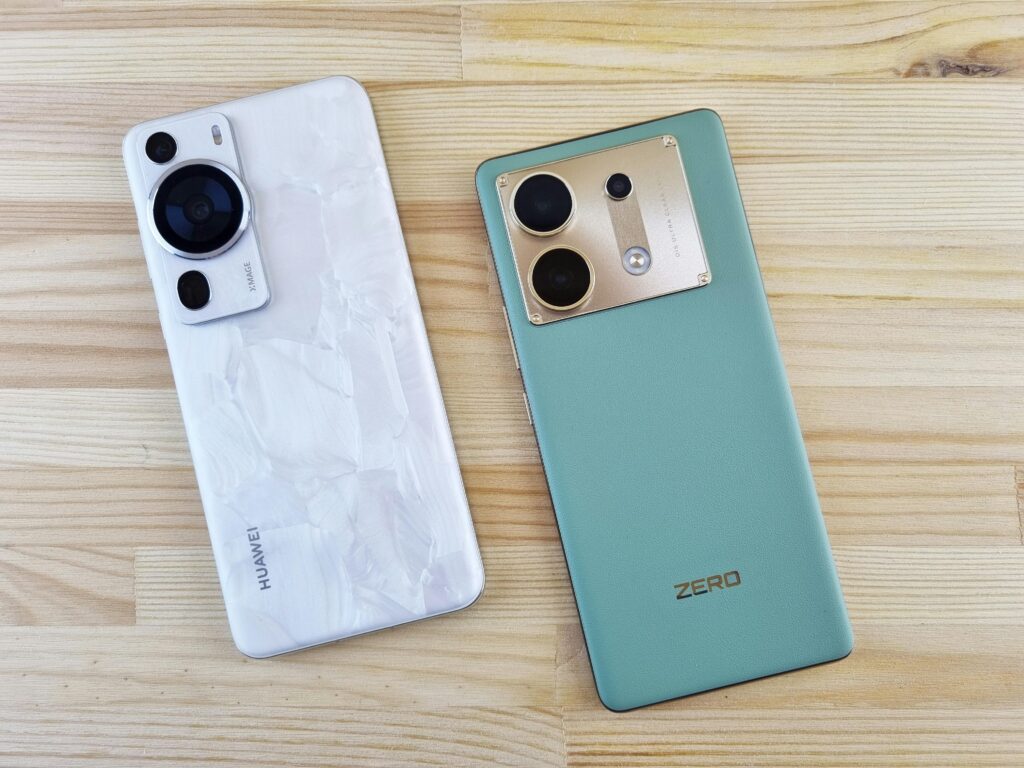
Introduction
Smartphones have become an indispensable part of daily life. They are used for communication, entertainment, work, learning, navigation, shopping, and even health tracking. But with hundreds of models launching every year and many brands competing aggressively, choosing the right smartphone for daily use can be confusing.
This guide helps you make a smart decision by breaking down what really matters — beyond flashy ads and marketing hype. Whether you are buying your first phone or upgrading to a better one, this article will walk you through all the important factors to consider.
Why Choosing the Right Smartphone Matters
A smartphone is not just a device — it’s a daily partner. It impacts:
✔ Productivity
✔ Communication
✔ Web browsing
✔ Social interaction
✔ Security of personal data
✔ Entertainment experience
Choosing the wrong smartphone can lead to frustration — slow performance, poor battery life, weak cameras, or even compatibility issues with apps you use regularly.
Step 1: Identify Your Primary Usage
Before looking at specs or prices, the first step is understanding how you will use the phone.
🧠 Ask yourself:
-
Do I need it mainly for calls and messages?
-
Do I use social media heavily?
-
Do I work from my phone?
-
Am I into mobile gaming?
-
Do I take photos frequently?
-
Do I need long battery life?
Your answers determine what features matter most.
Step 2: Set a Realistic Budget
Budget plays a crucial role in smartphone selection.
📌 Common Budget Categories:
-
Budget phones: ₹8,000 – ₹15,000
-
Mid-range: ₹15,000 – ₹30,000
-
Premium: ₹30,000 – ₹50,000
-
Flagship: ₹50,000+
Setting a budget helps you narrow down options and avoid overspending on features you may never use.
Step 3: Choose the Right Operating System (OS)
There are two primary smartphone ecosystems:
📱 Android
✔ Highly customizable
✔ Wide range of price options
✔ Supports lots of hardware brands
✔ Easy to expand storage via microSD (in many models)
🍎 iOS (Apple)
✔ Smooth, consistent performance
✔ Strong privacy & security
✔ Long software support
✔ Seamless device ecosystem (if you own other Apple products)
Tip: If you use Windows or Google services heavily, Android may fit better. If you want long-term updates and easy integration with other Apple devices, iOS is ideal.
Step 4: Processor & Performance — Know Your Needs
The processor determines how fast your phone runs.
📌 What to look for:
-
Basic use: mid-range processors (e.g. Snapdragon 6xx / 7xx)
-
Gaming & heavy use: Snapdragon 8 series or high-end MediaTek Dimensity
-
Budget basic use: entry-level chips with good optimization
RAM Matters Too
-
4–6GB: Everyday multitasking
-
8GB: Heavy apps & smooth performance
-
12GB+: Power users & gamers
Storage also matters:
-
64GB–128GB: Light users
-
256GB+: Heavy media & files
Step 5: Display Quality for Daily Use
Your screen is the window to everything you do.
📌 Important Display Factors
-
Size: 6.1″ – 6.7″ = comfortable for most
-
Resolution: Full HD+ (FHD+) is a sweet spot
-
Refresh Rate:
-
60Hz: Standard
-
90Hz / 120Hz: Smoother scrolling & gaming
-
-
Type:
-
LCD – budget friendly
-
AMOLED – richer colors, deeper blacks
-
Example:
6.5″ FHD+ AMOLED @ 90Hz — excellent daily display
Step 6: Battery and Charging Speed
Nothing is more frustrating than a phone that dies midday.
🔋 What to Look For
-
Battery size: 4,500–5,000 mAh = strong daily life
-
Charging:
-
18W – average
-
30W+ – fast
-
60W+ – ultra-fast
-
Tip: Phones with larger batteries and efficient software can easily last from morning to night on heavy use.
Step 7: Camera — What You Actually Need
Camera specs look fancy on ads, but what matters is real-world performance.
📸 Consider:
-
Primary sensor quality
-
Night mode performance
-
Front (selfie) camera
-
Stabilization for videos
Avoid phones that have high megapixels but poor image processing — camera software optimization matters more than numbers.
Step 8: Software & Future Updates
Software support affects security and longevity.
🔹 Android:
Some mid-range phones offer 2–3 years of updates
Flagship devices often get longer support
🔹 iOS:
Apple supports devices for many years (5–7 years)
Check the update policy before choosing.
Step 9: Connectivity and Extra Features
Useful modern features to consider:
✔ 5G support (future-ready)
✔ Dual SIM
✔ NFC (for payments)
✔ IR Blaster (universal remote)
✔ Stereo speakers
✔ Water resistance (IP rating)
Choose features based on your daily usage and importance.
Step 10: Brand Reputation and After-Sales Support
A good warranty and easy service network matter.
-
Check service center availability near you
-
Read customer feedback on post-purchase support
-
Prefer brands with strong local presence
Good support adds peace of mind — especially for gadgets you will use every day.
Step 11: Compare Prices & Deals
Before buying:
🔎 Check multiple online platforms
🔎 Compare offline store prices
🔎 Look for exchange & bank offers
🔎 Consider last-year flagship discounts
Smart shoppers find value for money, not just the cheapest price.
Step 12: Test It (If Possible)
If buying offline:
✔ Hold the phone
✔ Check screen brightness
✔ Test camera
✔ Try typing & scrolling
If buying online:
✔ Check review videos
✔ Verify real-world performance tests
✔ Read long-term user feedback
Seeing is believing — or in this case, evaluating!
Smart Checklist Before Purchase
✔ Matches your primary usage
✔ Smooth performance
✔ Good battery + fast charging
✔ Reliable camera for your needs
✔ Long software support
✔ Price fits your budget
✔ Trusted seller / good warranty
Conclusion: Choose Wisely, Not Hype-Driven
Smartphones are not one-size-fits-all. The right smartphone is the one that fits your daily routine, usage, budget, and expectations. Expensive doesn’t always mean better for you. Sometimes a mid-range phone with balanced features works best.
When you make decisions based on needs, not marketing buzz — you get:
✔ Better value
✔ Longer satisfaction
✔ Higher productivity
✔ Less buyer’s regret