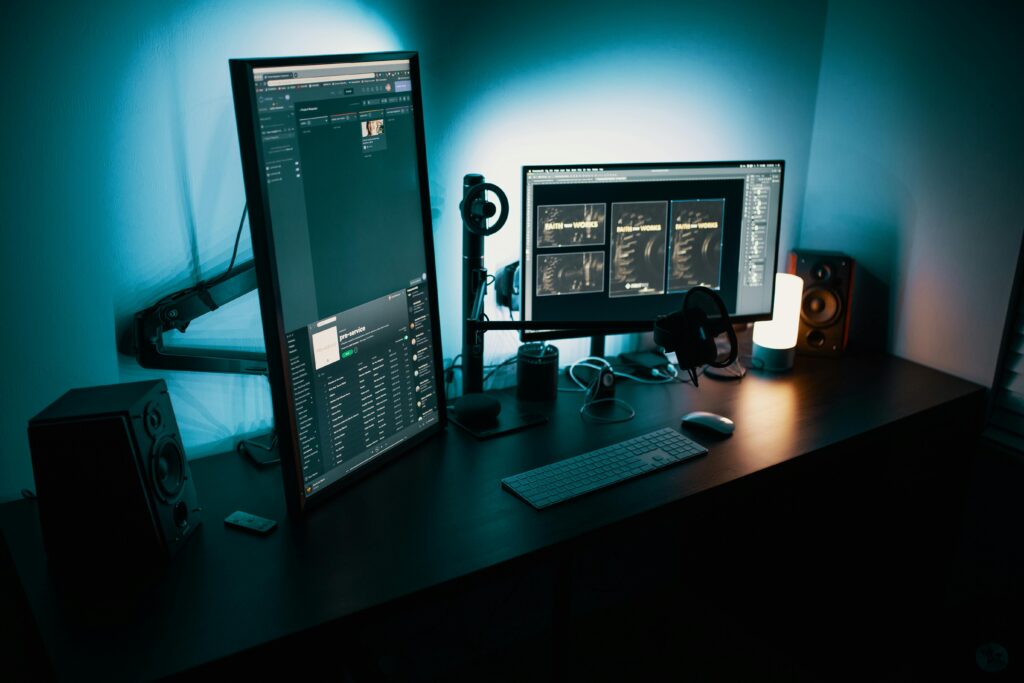
Introduction
Working from home has become increasingly common. Whether you are a freelancer, remote employee, student, or business owner, having a well-organized home office can significantly improve productivity, focus, and work-life balance.
Many people believe setting up a home office requires a large space or expensive furniture. In reality, you can create an effective home office with simple planning, basic equipment, and smart organization—even in a small space.
This guide explains how to set up a home office, covering everything from choosing the right location to maintaining comfort, productivity, and professionalism.
Why a Home Office Is Important
A dedicated home office helps you:
-
Stay focused and organized
-
Separate work from personal life
-
Improve productivity and efficiency
-
Reduce stress and distractions
Working from a proper setup is far more effective than working from a bed or couch.
1. Choose the Right Location
The first step is selecting the right spot.
What to Look For:
-
Quiet area with minimal distractions
-
Good natural light if possible
-
Enough space for basic furniture
Your home office doesn’t need a separate room—a corner of a room can work well.
2. Define a Dedicated Work Space
Your brain associates places with activities.
Why This Matters:
-
Helps maintain focus
-
Creates a professional mindset
-
Improves work routine
Avoid working from areas meant for rest or entertainment.
3. Select a Comfortable Desk
The desk is the foundation of your home office.
Desk Selection Tips:
-
Enough surface area for your work
-
Stable and sturdy
-
Comfortable height for typing
A simple desk works well if it fits your needs.
4. Invest in a Good Chair
Comfort is essential for long work hours.
Chair Features to Look For:
-
Back support
-
Adjustable height
-
Comfortable seating
A good chair reduces fatigue and improves posture.
5. Set Up Proper Lighting
Lighting affects productivity and eye comfort.
Lighting Tips:
-
Use natural light when possible
-
Add a desk lamp for focused lighting
-
Avoid glare on screens
Good lighting reduces eye strain and improves concentration.
6. Arrange Your Computer and Screen Properly
Screen position affects comfort.
Ergonomic Setup:
-
Screen at eye level
-
Keyboard at comfortable height
-
Keep wrists relaxed
Proper placement prevents neck and wrist strain.
7. Ensure a Reliable Internet Connection
A stable internet connection is essential.
Tips:
-
Use a reliable service provider
-
Place router near the workspace
-
Use wired connection if possible
Slow internet can reduce productivity and increase frustration.
8. Organize Cables and Accessories
Messy cables create distraction.
Simple Cable Management:
-
Use cable clips or ties
-
Keep chargers organized
-
Avoid cluttered desk
A clean setup improves focus and looks professional.
9. Minimize Noise and Distractions
Distractions reduce efficiency.
Noise Control Tips:
-
Use noise-canceling headphones
-
Inform family members of work hours
-
Keep phone notifications minimal
Creating boundaries improves work quality.
10. Keep Essential Items Within Reach
Efficiency improves when everything is accessible.
Keep Nearby:
-
Notebook and pen
-
Charger
-
Water bottle
-
Frequently used tools
Avoid unnecessary movement during work.
11. Maintain a Clean and Organized Desk
Clutter affects mental clarity.
Desk Organization Tips:
-
Clear desk at the end of the day
-
Use organizers for documents
-
Avoid unnecessary items
A clean workspace supports better thinking.
12. Add Personal Touches (But Keep Balance)
Personalization improves comfort.
Good Personal Touches:
-
Small plants
-
Motivational quotes
-
Minimal décor
Avoid over-decorating, which can distract.
13. Set a Work Schedule
Structure improves productivity.
Scheduling Tips:
-
Set fixed work hours
-
Plan breaks
-
Avoid overworking
A routine helps maintain work-life balance.
14. Use Productivity Tools
Technology supports efficiency.
Useful Tools:
-
Calendar apps
-
Task managers
-
Note-taking apps
Use tools to stay organized and focused.
15. Maintain Proper Ventilation
Fresh air improves focus.
Tips:
-
Open windows when possible
-
Avoid stuffy rooms
-
Keep workspace fresh
Comfortable air quality boosts energy levels.
16. Avoid Mixing Work and Entertainment
Boundaries are important.
Best Practices:
-
Don’t work near TV
-
Avoid social media during work
-
Separate work devices if possible
Clear separation improves concentration.
17. Ensure Power Backup and Charging Access
Unexpected power issues disrupt work.
Preparation Tips:
-
Keep chargers nearby
-
Ensure multiple power outlets
-
Consider backup power options
Being prepared prevents interruptions.
18. Maintain Healthy Work Habits
Health directly affects productivity.
Healthy Practices:
-
Take short breaks
-
Stretch regularly
-
Maintain proper posture
Your body supports your work—take care of it.
19. Review and Improve Your Setup Over Time
Your needs may change.
Regular Review:
-
Identify discomfort
-
Improve layout
-
Upgrade essentials when needed
Continuous improvement leads to better performance.
20. Keep Work-Life Balance in Mind
A home office should support balance.
Balance Tips:
-
Log off at fixed time
-
Avoid working late regularly
-
Spend time away from screens
Healthy balance improves long-term productivity.
Common Home Office Mistakes to Avoid
❌ Working from bed or couch
❌ Poor lighting
❌ Uncomfortable seating
❌ Cluttered workspace
❌ No fixed routine
Avoiding these mistakes improves effectiveness.
Benefits of a Well-Set Home Office
A proper home office:
✔ Improves productivity
✔ Reduces stress
✔ Enhances professionalism
✔ Supports focus and comfort
It turns work-from-home into a positive experience.
Conclusion
Setting up a home office doesn’t require expensive equipment or a large space. With thoughtful planning, basic furniture, good lighting, and healthy work habits, anyone can create a productive and comfortable home office.
A well-designed home office supports focus, efficiency, and work-life balance. By investing time in setting it up correctly, you improve not only your work performance but also your overall well-being.
Your home office should work for you—simple, comfortable, and productive.